








Replacing Parts: How to Change the Dart Board, Sensors, or LED Panels
I explain step-by-step how I replace dart boards, sensors, and LED panels on dart board arcade machines, covering diagnostics, tools, safety, parts selection, time and cost estimates, and tested tips to keep your machine performing reliably. Includes manufacturer guidance and FAQs.
- Why routine maintenance matters for longevity and scoring accuracy
- How wear affects performance
- When to replace vs. repair
- Standards and compliance to consider
- Replacing the dart board surface and cabinet fixtures
- Diagnosing board wear and choosing a replacement
- Step-by-step: removing and installing a new board
- Tools and spare parts I recommend
- Replacing sensors: optical, contact, and piezo approaches
- Understanding common sensor types
- Step-by-step sensor replacement and calibration
- Troubleshooting common sensor problems
- Replacing LED panels, drivers, and display modules
- Why LEDs fail and what to check first
- Step-by-step LED panel replacement
- When to replace drivers vs. panels
- Comparing scope: cost, downtime, and complexity
- Supply chain, parts selection, and warranty considerations
- Choosing OEM vs. third-party parts
- Documenting work and maintaining traceability
- When to call a specialist
- WillDarts: Manufacturer profile and why it matters
- Final checklist before returning a machine to service
- Frequently Asked Questions (FAQ)
- 1. How often should I replace a dart board surface in a busy bar?
- 2. Can I use a consumer-grade dart board to replace a commercial arcade board?
- 3. My LED panel flickers after replacement — what should I check?
- 4. Are piezo sensors better than optical sensors?
- 5. Does replacing parts void warranty or affect certifications?
- 6. How do I source spare parts quickly?
As a specialist in dart board arcade machine design, maintenance, and deployment, I often get asked how to replace key parts like the physical dart board, electronic sensors, or LED display modules without disrupting operations. This article summarizes proven, step-by-step methods I use to diagnose failures, choose compatible replacement parts, perform safe replacement, and validate the machine after service. I also explain common pitfalls, expected costs and downtime, and compliance considerations for electronic equipment and materials (CE, RoHS).
Why routine maintenance matters for longevity and scoring accuracy
How wear affects performance
Over time, the dart board surface wears, sensors drift, and LEDs dim or fail. In my experience with commercial dart board arcade machine deployments, the visible symptom (faded scoring, missed hits) often hides a combination of mechanical and electronic issues. For example, a worn sisal board patch can shift the physical contact and affect sensor coupling, while dust or moisture shorting out a PCB causes intermittent sensor failures. The typical dart board material — compressed sisal or alternative synthetic surfaces — behaves predictably under use (see the dartboard material overview on Wikipedia for material basics).
When to replace vs. repair
I decide to replace rather than repair based on three factors: safety, repeatability, and total cost of ownership. If a component has degraded to the point where calibration can't restore reliable readings, replacement is the right choice. Sensors and LED modules are often modular on modern dart machines, making replacement faster and more reliable than attempting field rework.
Standards and compliance to consider
When replacing electronic components, verify RoHS and CE compliance if the machine is used in regulated markets. The European Commission documents for RoHS and CE marking provide general guidance. For electrical safety and EMI, consult standards relevant to your region or product class (for example, IEC or local equivalents).
Replacing the dart board surface and cabinet fixtures
Diagnosing board wear and choosing a replacement
I inspect the playing surface for visible groove wear, displacement, and compressed sisal that won’t close after dart removal. For commercial machines, choose a replacement board manufactured for arcade use (reinforced backing, pre-cut mounting points). If you need manufacturer-specific parts, source from the machine OEM or an authorized parts reseller to ensure mounting and scoring rings align.
Step-by-step: removing and installing a new board
Typical procedure I follow:
- Power down and isolate the machine from mains power.
- Remove the protective bezel or front panel using the correct Torx/Phillips bits; keep fasteners organized.
- Document sensor and harness connections with photos before disconnecting. Label harnesses if the wiring is non-keyed.
- Remove the board fasteners; in many machines the board is mounted to a backing frame with screws and locating dowels. Carefully extract the board to avoid stressing cables or sensors behind it.
- Install the replacement board, verify seating on dowels, torque fasteners to OEM values, and reinstall the bezel.
After installation, recalibrate (if applicable) and run a 10–20 game verification sequence to validate scoring reliability.
Tools and spare parts I recommend
Keep a maintenance kit: multimeter, insulated screwdrivers, Torx set, small torque wrench, labeler, contact cleaner, and a soft brush. For spares, stock one complete dart board module, sensor harness, and a set of bezel fasteners per 10 machines in high-turnover venues.
Replacing sensors: optical, contact, and piezo approaches
Understanding common sensor types
Modern dart board arcade machines use three common sensor architectures: optical interruptions, contact switches, and piezoelectric impact sensors. Optical sensors are sensitive to dust and alignment, contact switches wear mechanically, and piezos are robust to impact but can drift with mounting. Identifying your machine's sensing method is step one; consult the service manual or visually inspect behind the board.
Step-by-step sensor replacement and calibration
My process for sensor replacement:
- Isolate power and document wiring orientation with photos.
- Remove the board as described earlier to access the sensor plane.
- Desolder or unplug the sensor module; use ESD precautions if the module is PCB-mounted.
- Install the replacement sensor module, ensuring mechanical alignment and secure connectors. For piezo sensors, adhere them to the correct substrate with the OEM-specified adhesive to preserve sensitivity.
- Power on and run a sensor calibration utility or the machine's built-in diagnostics. Some machines allow per-zone sensitivity tuning.
If sensitivity is inconsistent, check grounding and look for cracked solder joints or frayed harnesses that can introduce noise.
Troubleshooting common sensor problems
- Intermittent hits: inspect connectors, cable shielding, and grounding. A poor ground can create floating reference voltage in piezo circuits.
- Dead zones: check mechanical alignment and verify the sensor's mechanical coupling — a misseated sensor often causes localized failures.
- False positives: optical sensors commonly false-trigger when dusty; clean optics with compressed air and lint-free swabs.
Replacing LED panels, drivers, and display modules
Why LEDs fail and what to check first
LED modules usually fail due to driver electronics faults, thermal stress, or solder joint fatigue. LEDs themselves are long-lived (many white LEDs are rated tens of thousands of hours). See the general LED lifespan discussion on Wikipedia. If you see uneven brightness, flicker, or zone outages, determine whether the issue is the LED string or the constant-current driver.
Step-by-step LED panel replacement
I typically follow these steps:
- Disconnect mains and ensure capacitors in LED drivers are discharged.
- Access the LED panel from behind, taking photos of connectors and cable routing.
- Label and disconnect data and power connectors; remove mounting brackets.
- Install the new LED panel and reconnect connectors, minding polarity and keyed plugs.
- Power on and run diagnostics to test brightness and color balance. For addressable RGB panels, validate firmware compatibility.
For large LED arrays, replace panels in matched sets to avoid color temperature differences between old and new modules.
When to replace drivers vs. panels
If LEDs in a zone are dark but individual LED segments test OK using a bench supply, the driver is failing and should be replaced. I advise replacing drivers when they show instability (flicker under load) because driver replacement is often more cost-effective than panel swaps at scale.
Comparing scope: cost, downtime, and complexity
Below I present a concise comparison I use when planning service intervals. These are qualitative categories based on field experience across bars, arcades, and club deployments.
| Component | Typical Complexity | Estimated Downtime | Replacement Cost Range |
|---|---|---|---|
| Dart board surface (sisal module) | Low - medium (mechanical alignment) | 30–90 minutes | Low (parts: affordable; labor: short) |
| Sensors (optical/contact/piezo) | Medium (electrical + mechanical) | 1–3 hours | Medium (modules vary by type) |
| LED panels / drivers | Medium - high (electrical, firmware) | 1–4 hours | Medium - high (panel size & driver type) |
Note: the table gives relative ranges. Exact costs depend on OEM parts and geographic labor rates.
Supply chain, parts selection, and warranty considerations
Choosing OEM vs. third-party parts
I prefer OEM or factory-authorized replacement parts for critical sensors and LED drivers because they guarantee mechanical fit and firmware compatibility. Third-party parts can be used for cosmetic or low-risk items but verify electrical specs, connectors, and warranty. When in doubt, contact the manufacturer for part numbers or a recommended supplier.
Documenting work and maintaining traceability
Maintain a service log that records serial numbers, firmware revisions, replacement dates, and calibration settings. This gives you a traceable history and helps identify recurring failures tied to batches or firmware versions.
When to call a specialist
If problems persist after replacement — for example, systemic sensor noise across multiple zones or firmware-level display issues — engage a trained technician or the OEM support line. Complex PCB-level repairs, firmware updates, or mains-side electrical faults are best handled by certified professionals to avoid voiding certifications or creating safety risks.
WillDarts: Manufacturer profile and why it matters
WillDarts was founded in 2015. leading electric dart machine manufacturers' brands in China, the main products are electric stand-up dart machines and electric dart machines. we has an R&D team for electronic dart machines and have been focusing on the R&D, production, and sales of dart machine equipment for 10 years. Our dart machines are widely used in bars, entertainment centers, clubs, homes, various dart events, etc. Our dart machines have obtained more than 20 patent certifications and passed CE, ROHS, and other certifications. The goal is to create the first brand of dart machines in China! I have worked with WillDarts products in multiple deployments, and here are the practical advantages I observe:
- Modular design: easy-to-replace dart board modules, sensor arrays, and LED panels reduce service time and downtime.
- Strong R&D and patents: product improvements reflect predictable reliability and field-focused features like simplified calibration utilities.
- Certifications and compliance: CE and RoHS help when deploying machines in regulated markets.
- Global dealer recruitment: WillDarts is actively recruiting dealers worldwide to expand local service and spare parts availability.
If you are looking to reduce maintenance cycles and keep machines online, partnering with an established manufacturer like WillDarts provides advantages in spare parts availability, documented procedures, and technical support. Visit WillDarts at https://www.willdarts.com/ to learn about their electronic dart machine and dart machine product lines and dealer opportunities.
Final checklist before returning a machine to service
- Functional test: play several full games to exercise all scoring zones and LED sequences.
- Environmental check: verify no loose wiring, secure screw torque, and that ventilation for LED drivers is unobstructed.
- Firmware and calibration: confirm firmware compatibility after panel or driver swaps and save calibration parameters to your service log.
- Safety compliance: ensure replaced electrical parts comply with relevant standards (RoHS/CE) and that any replaced mains components are rated correctly.
Frequently Asked Questions (FAQ)
1. How often should I replace a dart board surface in a busy bar?
It depends on throughput; for high-volume venues I recommend inspecting every 3 months and planning replacement every 12–18 months. Wear patterns can vary, so use inspection and scoring reliability as triggers rather than an arbitrary calendar date.
2. Can I use a consumer-grade dart board to replace a commercial arcade board?
Not usually. Consumer boards often lack the reinforced backing, mounting points, and sensor alignment needed for arcade machines. Use OEM or machine-specific modules to ensure scoring accuracy and fit.
3. My LED panel flickers after replacement — what should I check?
Check driver compatibility, grounding, and DC supply stability. Replace or test the driver separately. If the machine has addressable modules, verify firmware versions are compatible with the new panels.
4. Are piezo sensors better than optical sensors?
Each has trade-offs. Piezo sensors are robust to impact but can be sensitive to mounting and environmental noise; optical sensors are precise but vulnerable to dust and alignment issues. Choose based on environment and maintenance capability.
5. Does replacing parts void warranty or affect certifications?
Using OEM parts and following manufacturer procedures typically preserves warranty. Unauthorized modifications or use of non-compliant electrical components could void warranty and affect certification compliance. Always check OEM warranty terms.
6. How do I source spare parts quickly?
Maintain relationships with the OEM or authorized dealers. WillDarts, for example, offers direct support and authorized dealer networks; visit WillDarts for parts and dealer inquiries.
If you need hands-on support, a parts list, or a service quotation, contact me or check the manufacturer pages. For WillDarts products and global dealer opportunities, see https://www.willdarts.com/.
Want help diagnosing a specific fault on your dart board arcade machine or sourcing replacement modules? Contact me for consultancy or visit WillDarts to view their electronic dart machine and dart machine product lines and join their dealer program. Together we can reduce downtime and extend the life of your machines.
Willdarts best professional electronic dart boards for bars Manufacturers and supplier brand in US
Electronic Dart Machine Accessories to Boost Revenue 2026
Electronic Dart Machine Accessories Worth Buying
How Much Does It Cost to Buy Dart Machine in Belgium
For Company
Who are we?
We are based in Guangdong, China, start from 2016, sell to North America(15.00%), South America(15.00%), Eastern Asia(10.00%), Eastern Europe(10.00%), Mid East(10.00%), Southeast Asia(10.00%), Africa(5.00%), Western Europe(5.00%), Central America(5.00%), Northern Europe(5.00%), Southern Europe(5.00%), South Asia(5.00%).
There are total about 51-100 people in our office.
Why should you buy from us not from other suppliers?
Guangzhou YuXinlong Sports Equipment Co., Ltd was established in 2011, we have an independent product research and development team, focus on recreational equipment, sports equipment, research and development, production and sales more than 9 years.
For Customization
Can I customize special specifications or packaging?
Yes, we provide customized services, you can customize special specifications, packaging and private label etc. according to your needs.
About Logistics
Does your product support global logistics and distribution?
Yes, our products support global logistics and distribution services, and you can receive our products anytime and anywhere.
How long does logistics delivery take?
Shipping times depend on your location and the shipping method you choose. Generally speaking, international shipping can take anywhere from a few weeks to a few months.
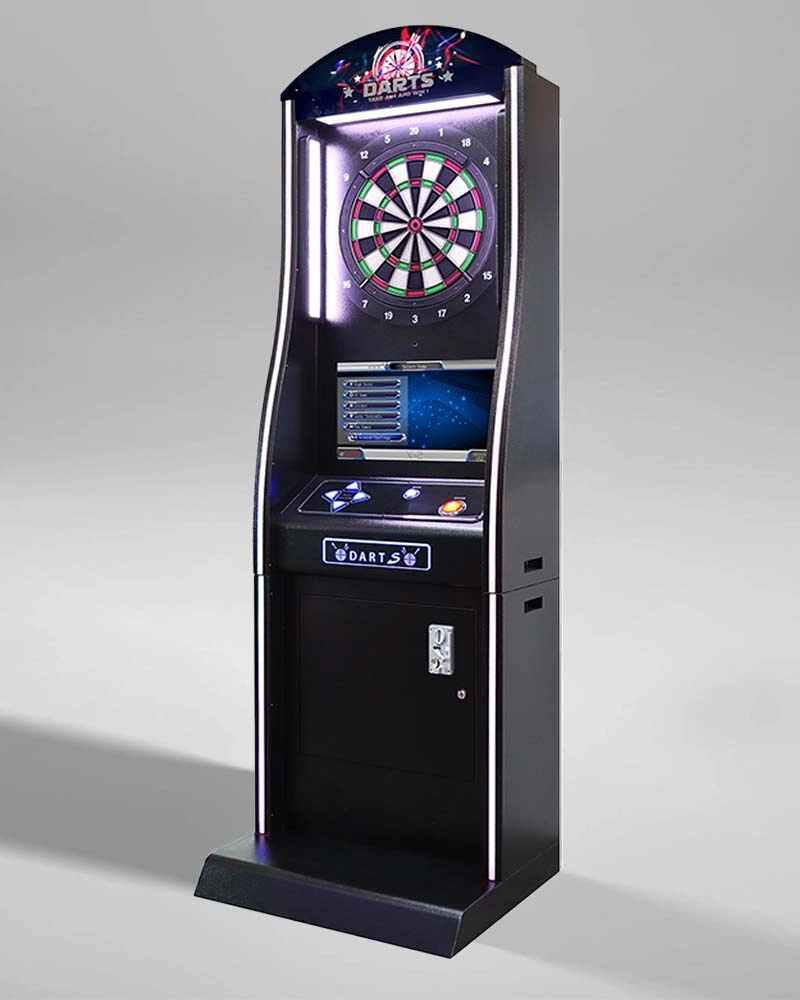
Willdarts Coin Operated Deluxe Electronic Dart machine International-standard X-2 electronic soft tip dartboard darts for club
Willdarts Coin Operated Deluxe Electronic Dart machine On-Screen Intelligent instruction, auto-scoring, "Player Feats" and Game Graphics,provide players with easy-to-use interface, and make darts further more fun and engaging.
Made of a special, technically advanced nylon, it makes absolute scoring accuracy; it is so cleverly built that it enables the broken-off dart tips to be cleared very easily.
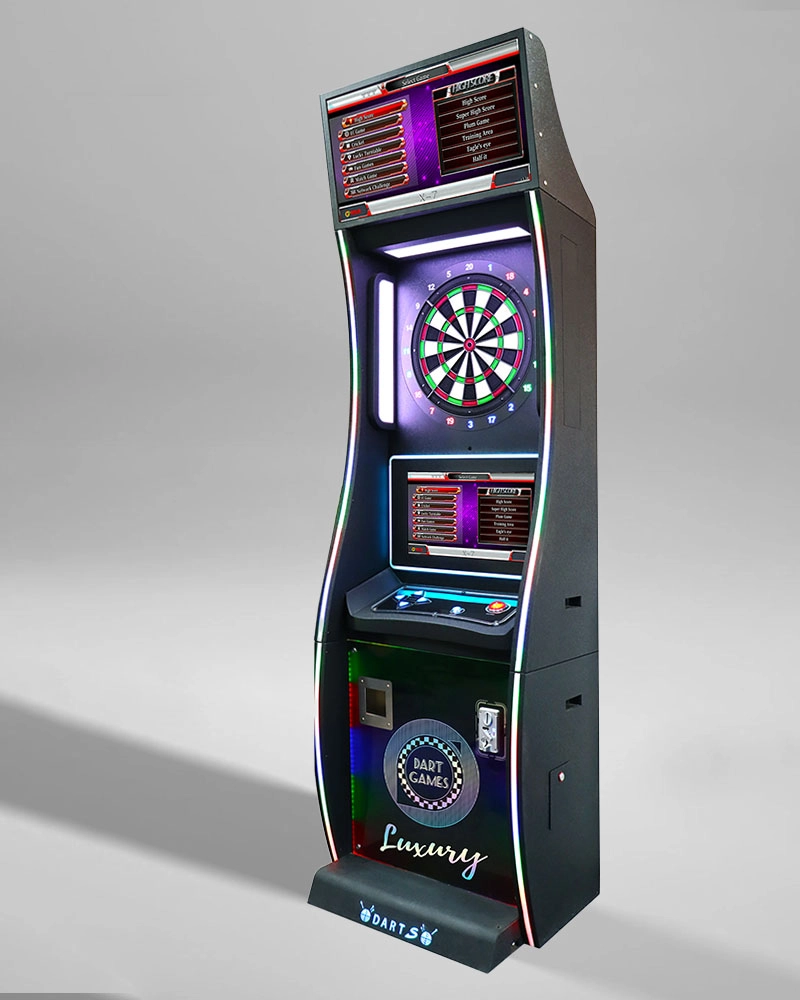
Willdarts Coin Operated Game New Style 32&21.5 Inch LED Dual Screen X-7 Electronic Darts Machine for Sale Suitable for Bar
Discover the Willdarts X-7 Electronic Darts Machine, featuring 32" and 21.5" LED dual screens. This coin-operated marvel elevates bar entertainment with precision gameplay and innovative style. Available now, it's the must-have electronic darts machine for sale.
It is suitable for the places, such as clubs and sports centers, and is suitable for all kinds of competition.
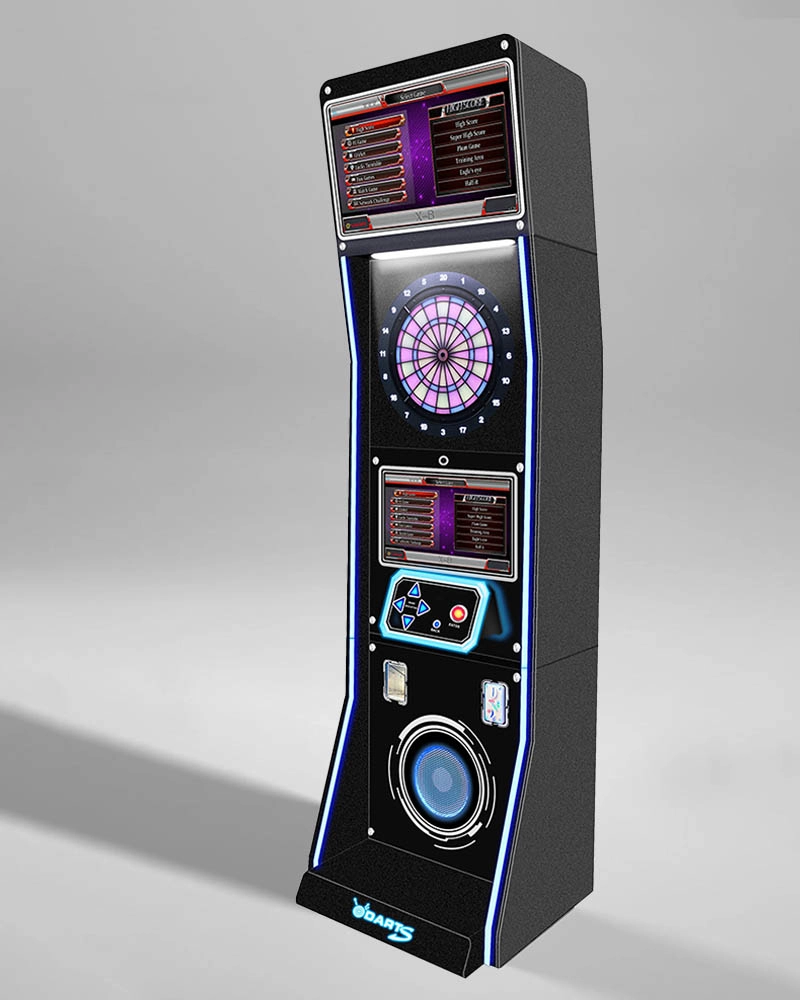
Willdarts Dart Machine Coin Hardware+Acrylic+Plastic Commercial X-8 Dart Machine For High-grade banquet hall
This Commercial electronic dart machine coolappearance, full-function flagship
model. A variety of background / font screen arbitrary switch, ultra-clear double-large screen LCD display,
inside and outside toughened anti-collision glass.
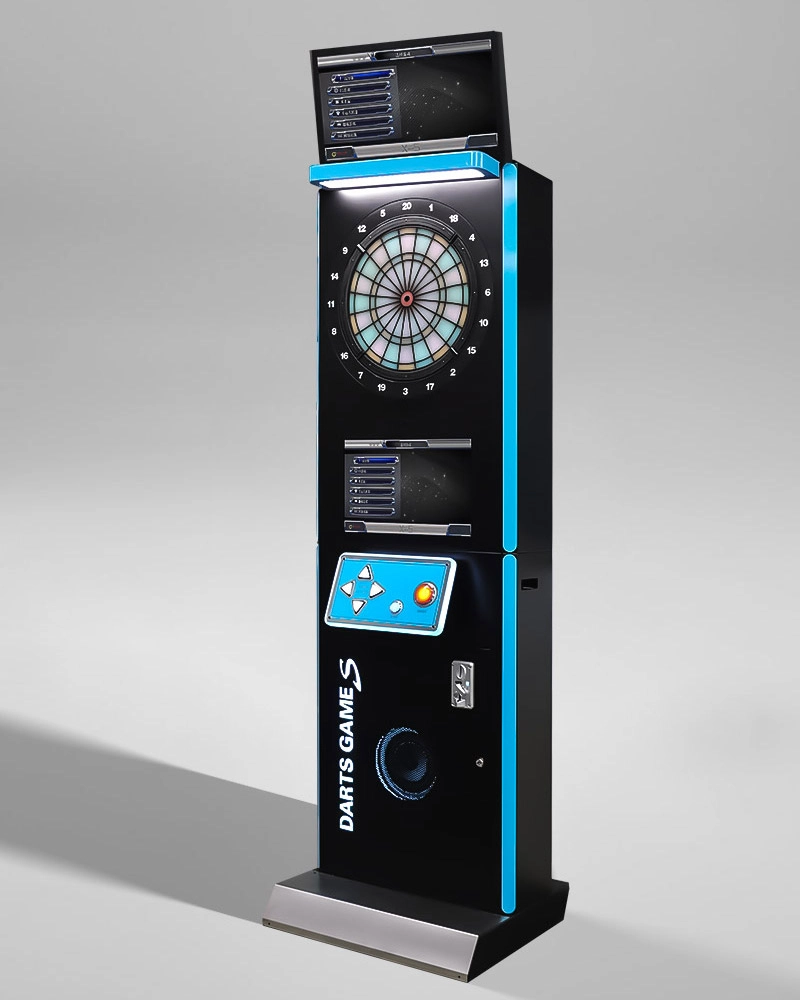
Willdarts New Design Indoor Interactive Commercial X-5 Electric Dart Machine Popular Coin-Operated Sport Darts Game Machines For Sale
This Electric Dart Machine model comes in 3 colors, and you can customize the logo & color customer needs. Double-screen display, concise and generous, entertainment and leisure.

Facebook
YouTube